



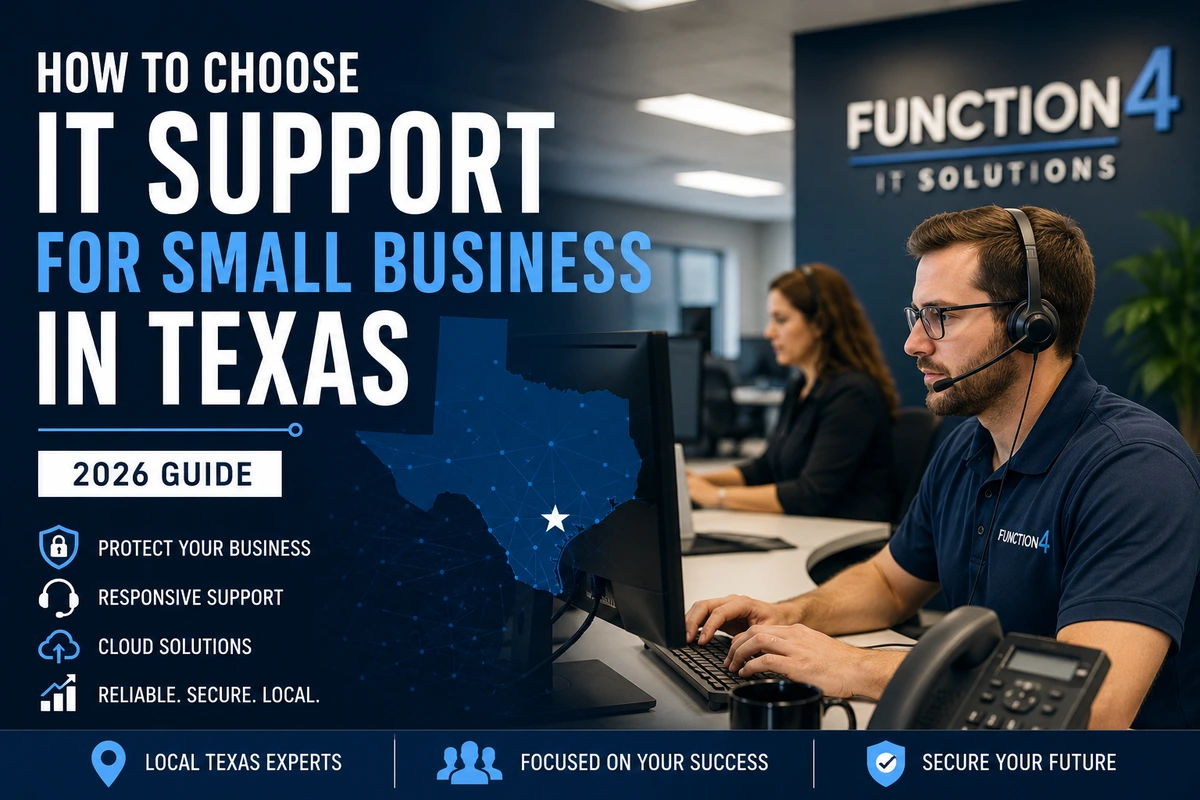
How to choose IT support for small business in Texas is a harder question than it looks. There are hundreds of providers across the state. They all say the same things. Proactive. Responsive. Local. Affordable. Trusted partner.
Most of them can’t back it up when something actually goes wrong.
This guide covers what computer support and services for small businesses actually include, how much it costs in 2026, what separates good support from the kind that leaves you stranded, and what Texas businesses need to think about specifically.
Key Takeaways
- Most IT support companies use the same language. Response time guarantees, proactive monitoring, local support — verify all of it in writing before you commit to anything.
- 41% of US small businesses experienced a cyberattack in the past year. The providers that actually prevented incidents had monitoring and patch management in place. (Hiscox Cyber Readiness Report, 2023)
- For small businesses under 25 employees, a single hour of downtime can cost around $100,000. That’s before recovery costs or client impact. (ITIC, 2024)
- Contract terms matter as much as price. Month-to-month vs. annual, exit clauses, and what happens to your data and credentials when you leave — read all of it.
- Local presence is non-negotiable for Texas businesses. Remote support handles most issues, but flood events, power failures, and hardware failures require someone who can actually show up.
Why Choosing the Right IT Support Company Matters More in Texas
Texas isn’t a typical market for IT support. The state’s size creates complexity most providers don’t think about until they’re already your vendor.
A company headquartered in Houston might have employees in Dallas, San Antonio, and Lubbock. That’s three different metro areas, potentially three different internet providers, and three different physical environments that all need consistent IT coverage. Not every provider is set up for that.
The state also has a high concentration of energy, manufacturing, legal, and professional services businesses. Industries with specific data handling requirements tied to their sector. Others operate across state lines, which adds compliance complexity on top of that.
And then there’s the weather. Natural disaster preparedness matters more in Texas than most markets. If your IT infrastructure isn’t designed to survive a flood event or an extended power grid failure, your disaster recovery plan has a gap. That’s a Texas-specific conversation most out-of-state providers aren’t equipped to have.
The right IT support company isn’t just technically competent. It understands your industry, your geography, and what “things going wrong” actually looks like for a Texas business.
What IT Support for Small Business Actually Includes
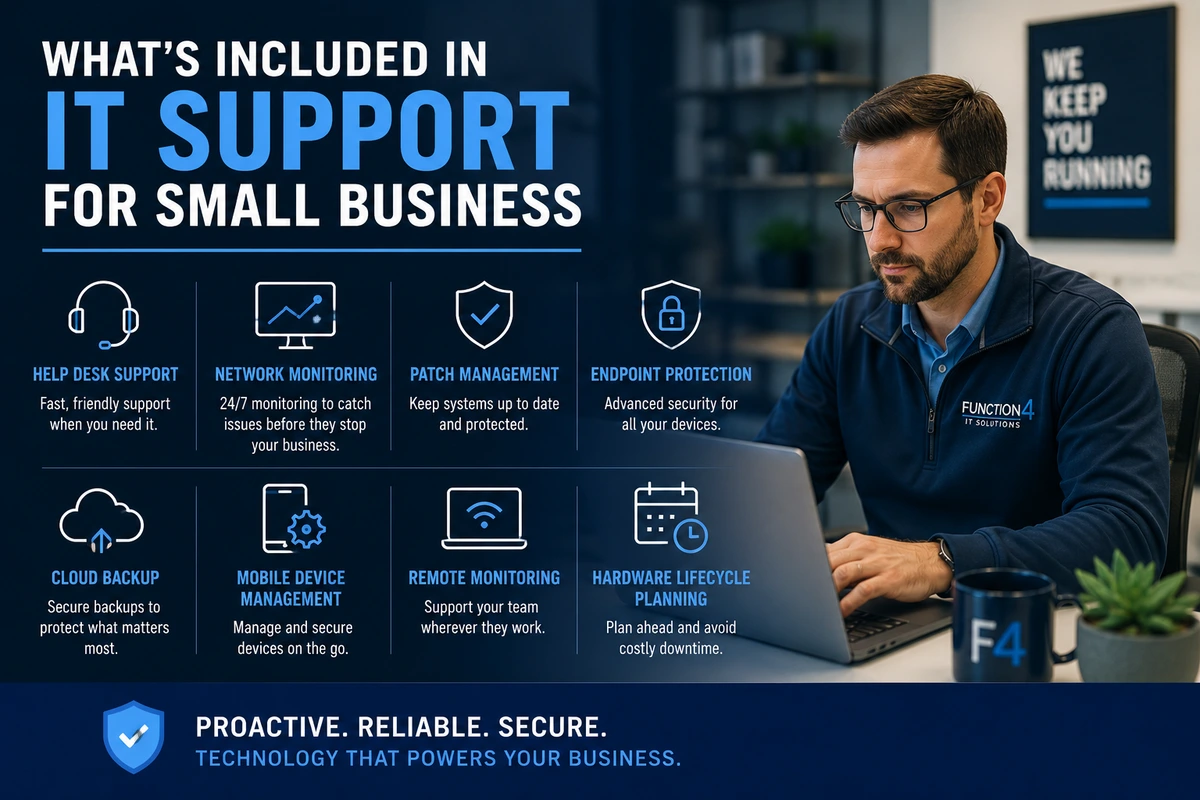
Before you can evaluate providers, you need to know what you’re buying. The term “IT support” gets used loosely. Here’s what a full managed IT arrangement actually covers:
Help desk support — your employees have someone to call when Outlook won’t load, the printer won’t connect, or a password needs resetting. This is the most visible layer. It’s also where most break-fix providers stop.
Network monitoring — someone is watching your network 24/7 for anomalies, performance issues, and early signs of failure. This catches problems before they become outages. Without it, you find out something went wrong when it already has.
Patch management — software updates, operating system patches, and firmware updates applied on a consistent schedule. Unpatched systems are one of the most common entry points for cyberattacks.
Endpoint protection — every device connected to your network is a potential attack surface. Every laptop, workstation, and mobile device needs current security software and policy enforcement.
Cloud backup services — your data is backed up, tested, and actually recoverable. Backup solutions that haven’t been tested for recovery are not backup solutions. It’s peace of mind that hasn’t been verified.
Mobile device management — company data on employee phones and tablets stays compliant, devices can be remotely wiped if lost, and phones don’t become a backdoor into your network.
Remote monitoring — your systems are watched continuously regardless of where your team is working. Critical for businesses with remote or field-based employees.
Hardware lifecycle planning — knowing when workstations, switches, and servers need replacing before they fail. Proactive hardware management eliminates a whole category of surprise costs.
Not every provider offers all of these. Some call themselves “managed IT” but only handle helpdesk tickets. The service list tells you exactly what you’re getting.
Managed IT vs. Break-Fix: Know What You’re Choosing Between
Before you evaluate specific providers, understand the two models. They’re fundamentally different.
Break-fix is simple: something breaks, you call, they fix it, you pay. Per hour, typically between $125 and $200 depending on the work.
The problem isn’t the hourly rate. The problem is the incentive structure. A break-fix provider makes more money the more things break. There’s no financial reason for them to prevent problems — only to solve them after they happen.
Managed IT flips that model. You pay a fixed monthly fee per user or per device. Your provider makes more money when your systems run well, because preventing a problem is cheaper than fixing one. The incentive aligns with your interest.
For a detailed look at how the numbers compare, see our managed IT services vs. break-fix cost breakdown.
Most small businesses that make the switch don’t go back. The predictability alone is worth it — especially for companies that budget quarterly.
it support
How to Choose an IT Support Company: 8 Things to Evaluate
This is the section most buyers skim. Don’t. These eight criteria separate providers who will actually protect your business from those who will underperform when it matters.
1. Response Time Guarantees — in Writing
Every IT provider will tell you they respond fast. Ask them to put a specific number in the contract. What is your guaranteed response time for a critical issue that’s preventing employees from working?
A legitimate provider has a defined SLA — typically 15 minutes remote, two to four hours on-site for critical issues. If the answer is “as quickly as possible” or “same business day,” that’s not a guarantee. That’s marketing.
Get the SLA in writing. If they won’t put it in the contract, that tells you everything.
2. Proactive vs. Reactive Model
Ask how they detect problems. Do they have monitoring tools alerting them when something is about to fail? Or do they wait for you to call?
A proactive provider can show you dashboards, alert histories, and examples of issues they caught before they became outages. A reactive provider can only show you closed tickets.
The distinction matters. Proactive support prevents the outage. Reactive support responds after your team has already been sitting idle for an hour.
3. Cybersecurity Capabilities
Ask what security tools are included. Not available as an add-on. Included.
Endpoint detection and response. Multi-factor authentication. Email filtering. Security awareness training. Vulnerability scanning. Backup monitoring.
If cybersecurity costs extra, ask why. Most modern threats don’t distinguish between “IT support” and “security.” Neither should your provider.
The Cybersecurity and Infrastructure Security Agency (CISA) publishes practical ransomware guidance for businesses. Compare what your provider offers against those recommendations.
4. Industry Experience
An accounting firm has different technology needs than a manufacturer. A law firm has different compliance requirements than a construction company.
Ask for references from businesses in your industry—not just businesses of a similar size. Experience with your software, regulations, and workflows shortens implementation time and reduces mistakes.
5. Local Presence
Remote support solves most problems.
Failed firewalls don’t.
Server hardware doesn’t.
Internet circuit replacements don’t.
Ask how many technicians they have in your region. Ask where they’re located. Ask how quickly someone can physically reach your office if needed.
Texas is too large to assume “local” means anything. A provider based six hours away isn’t local.
6. Backup and Disaster Recovery
Ask one question:
When was the last successful recovery test?
Not the last backup.
The last recovery.
Every provider says they back up data. Fewer regularly test restoring it. Recovery testing is what proves backups actually work when your business depends on them.
7. Contract Flexibility
Review:
- Contract length
- Automatic renewal language
- Termination notice requirements
- Ownership of passwords and administrator credentials
- Data return procedures if you leave
Changing providers shouldn’t feel like escaping a hostage situation.
If exit terms are vague, ask for clarification before signing.
8. Strategic Planning
Good providers fix problems.
Better providers help you avoid future ones.
Ask whether quarterly technology reviews are included. Ask whether they help with budgeting for future hardware replacement, cybersecurity improvements, and long-term planning.
IT should support business goals—not just keep printers running.
How Much Does IT Support Cost for Small Businesses?
Pricing depends on user count, infrastructure complexity, compliance requirements, and service scope.
Most managed IT providers charge either:
- Per user, per month
- Per device, per month
- A flat monthly agreement covering the entire environment
Businesses with 10 to 25 employees often find managed IT significantly more predictable than paying hourly whenever something fails.
The lowest quote isn’t usually the lowest long-term cost. Providers that underprice often exclude security, backups, strategic planning, or after-hours support—then bill separately when you actually need those services.
Frequently Asked Questions About IT Support for Small Businesses
What is included in IT support for a small business?
Most managed IT agreements include help desk support, network monitoring, patch management, endpoint security, cloud backups, remote monitoring, vendor management, and strategic technology planning. Always ask for a detailed scope of services before signing.
How much does IT support cost for a small business?
Pricing varies based on company size, number of users, infrastructure complexity, and cybersecurity requirements. Most providers charge a fixed monthly fee per user, per device, or through a comprehensive managed services agreement.
Should a small business outsource IT support?
For most businesses with fewer than 100 employees, outsourced IT provides access to a broader team of specialists than hiring internally while keeping costs more predictable. The right decision depends on your internal resources, growth plans, and compliance requirements.
What’s the difference between managed IT and break-fix support?
Managed IT focuses on preventing problems through continuous monitoring, maintenance, and security for a predictable monthly fee. Break-fix support charges hourly after something has already failed.
How quickly should an IT company respond to an emergency?
Most reputable managed service providers guarantee responses to critical issues within 15 to 30 minutes remotely and provide on-site support within a few hours when necessary. Response time commitments should always be documented in your service agreement.
Do managed IT companies provide cybersecurity?
Yes. Modern managed IT services typically include endpoint protection, email security, multi-factor authentication support, patch management, backup monitoring, and ongoing security management. Some providers also include employee cybersecurity awareness training.
Can an IT provider support remote employees?
Yes. Most managed IT providers support remote and hybrid work environments through secure remote access, cloud services, mobile device management, endpoint protection, and remote monitoring tools.
How often should a business review its technology plan?
Most businesses benefit from quarterly technology reviews that evaluate cybersecurity risks, hardware lifecycle planning, infrastructure improvements, budgeting, and long-term business goals.
Need IT Support That Actually Supports Your Business?
Technology should help your business grow—not become another daily problem to manage.
Function4 provides proactive IT support for small businesses throughout Texas, combining responsive local service with cybersecurity, cloud solutions, backup protection, and long-term technology planning.
If you’re evaluating providers or simply want a second opinion on your current IT environment, contact our team to schedule a consultation.
